Private
There is nobody to send it to.
No account, no sign-in, no analytics, no telemetry. Your dictation history is a file on your Mac that you can search, clear, or switch off entirely.
Private dictation for Mac
Hold a key, speak, let go. Your words land in whatever app you're using, transcribed on your Mac by the speech model built into macOS. There is no cloud mode, no account, and nothing to switch off.
A scripted preview. This page never touches your microphone.
The whole point
Most dictation apps send what you say to a server and promise to be careful with it. Kural was built without the server.
There is nobody to send it to.
No account, no sign-in, no analytics, no telemetry. Your dictation history is a file on your Mac that you can search, clear, or switch off entirely.
It uses the model already in your Mac.
Transcription runs on Apple's on-device speech engine in macOS 26. There is no multi-gigabyte model to download and babysit, which is why the app is about 5 MB.
Turn off Wi-Fi and keep talking.
On a plane, in a basement, behind a strict firewall: it works the same. macOS fetches the speech model for your language once, and after that no connection is needed.
Every sentence makes a round trip through computers you don't control.
Nothing crosses the line, because there is nothing on the other side.
How it works
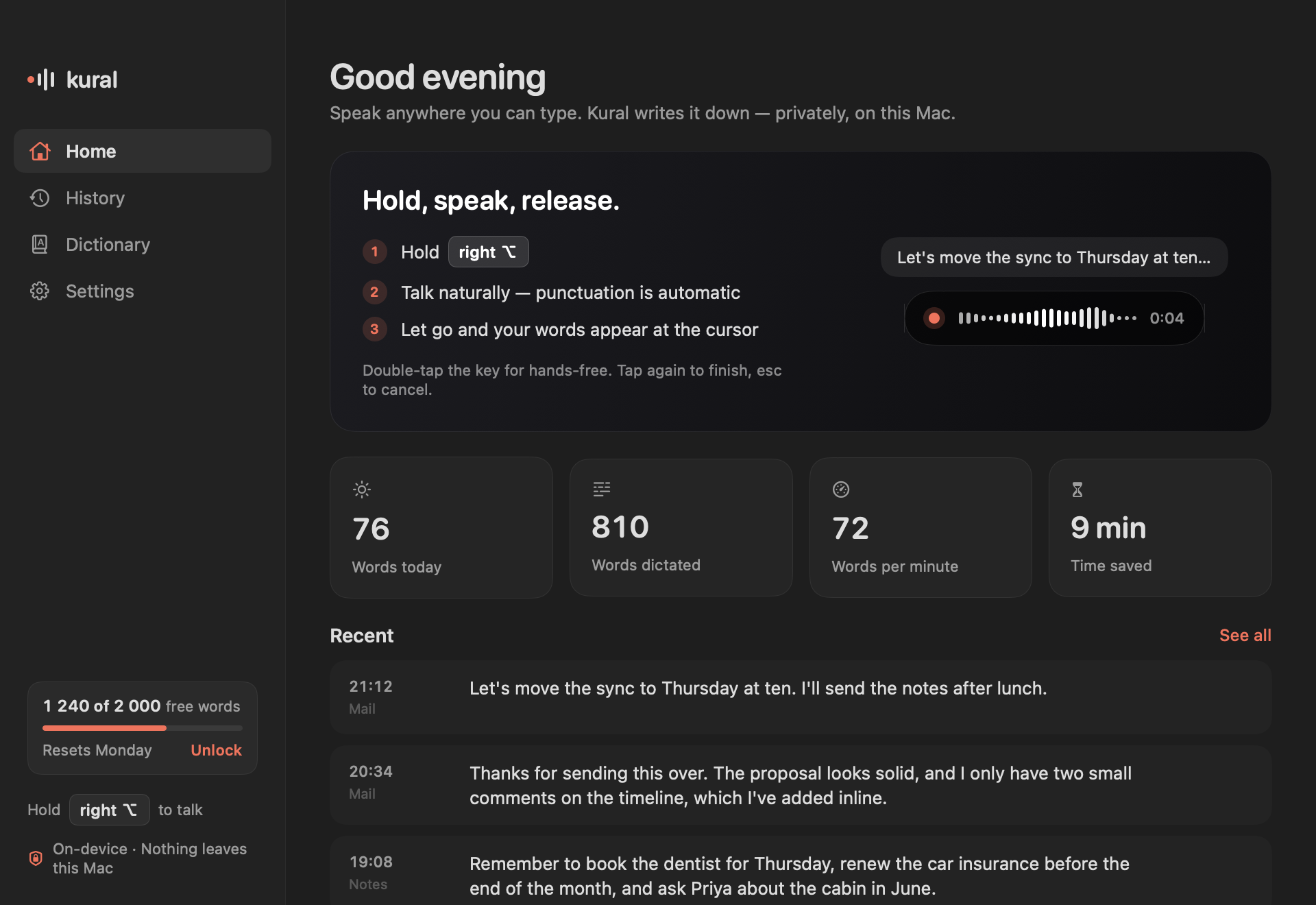
Right Option by default. A small pill appears at the bottom of your screen so you know it's listening.
Your words show up live as you say them. Punctuation is automatic.
The text is typed at your cursor, in whatever app you were already using.
Long thought? Double-tap the key to go hands-free, tap again to finish, or press esc to cancel.
The app
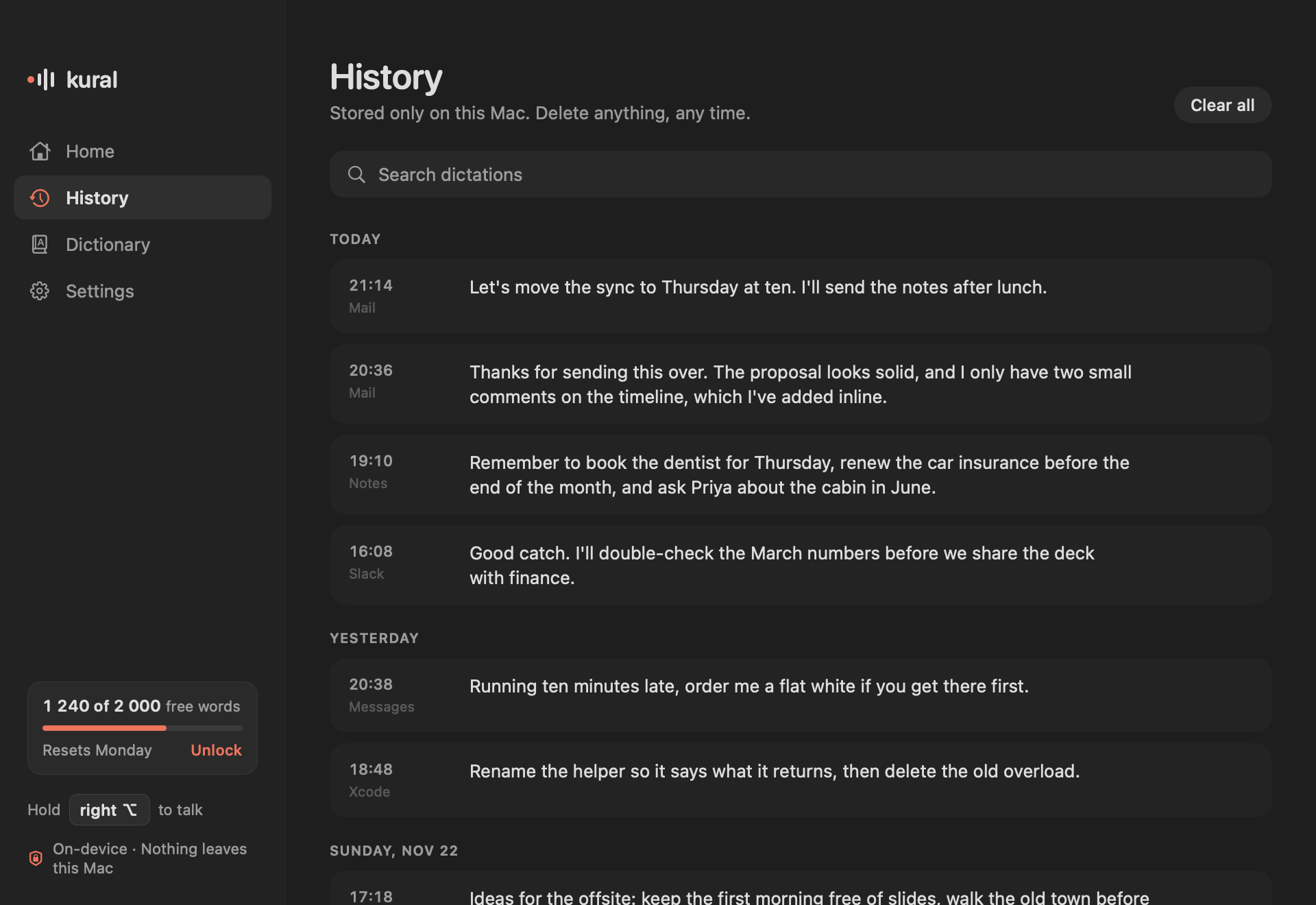
Kural lives in your menu bar. Open the window when you want your history, your dictionary, or to see how many free words are left this week.
What's inside
Mail, Slack, Notes, your editor, your terminal. Text goes in at the cursor and your clipboard is put back the way it was.
A floating pill shows a waveform and your words as you speak, without stealing focus from the app you're in.
Teach it names and jargon so they come out right. Add "say this, type that" shortcuts for things like your email address.
"Um" and "uh" are dropped, sentences are capitalised, and saying "new line" or "new paragraph" does what you'd expect.
Search everything you've dictated. Keep it forever, for 30 days, 7 days, 24 hours, or not at all.
Right Option, right Command, fn, or Control + Option. Whichever your fingers already rest near.
English, Spanish, French, German, Italian, Portuguese, Japanese, Korean, Chinese and Cantonese, in 30 regional variants.
There are no privacy settings to get right, because there is no setting that sends anything anywhere.
An honest comparison
Kural does one thing. If you need a hundred languages or an assistant that rewrites your emails, another app will suit you better, and that's fine.
| Kural | Cloud dictation apps | Local Whisper apps | |
|---|---|---|---|
| Where audio is processed | On your Mac, always | On the company's servers | On your Mac, unless you pick a cloud model |
| Cloud option | None exists | Required | Usually optional |
| Account | None | Usually required | Varies |
| Works offline | Yes | No | Yes, with a local model |
| Speech model | Built into macOS 26 | The provider's | You download one, 75 MB to 3 GB |
| Price | Free tier, then one payment | Usually $10–15 a month | Free to one-time |
| Languages | 10 | Often 100+ | Up to about 100 |
| AI rewriting and tone | No | Yes | Often |
| Platforms | macOS 26 only | Mac, Windows, phones | Mostly Mac |
Pricing
It costs nothing to run because there are no servers, so there is no subscription.
$0
For lighter use, for as long as you like.
$29once
For people who'd rather talk than type.
Sales tax or VAT is added at checkout where it applies.
Questions
Yes. Your audio is transcribed on your Mac by Apple's speech engine and never sent anywhere. The one thing that needs a connection is macOS downloading the speech model for your language the first time. After that you can turn Wi-Fi off and it keeps working.
Microphone, to hear you while you hold the key. Speech Recognition, to use Apple's on-device engine. Accessibility, to notice your key from any app and to type the text where your cursor is. It asks for nothing else.
The built-in dictation is good for the occasional sentence. Kural is for people who dictate all day: a hold-to-talk key, a live preview, your own dictionary and shortcuts, filler-word removal, and a searchable history.
No. It tidies with fixed rules that run on your Mac: filler words out, sentences capitalised, your own replacements applied. What you say is what gets typed.
It needs macOS 26 or later, because that's where Apple's new speech engine lives. Languages: English, Spanish, French, German, Italian, Portuguese, Japanese, Korean, Chinese and Cantonese.
You get a licence key by email. You paste it into the app, and the app checks it on your Mac with no connection needed. There is nothing to log in to, and moving to a new Mac is just pasting the key again.
You're never cut off mid-sentence: the dictation you're in always finishes. After that, dictation pauses until the new week starts, and everything you've already dictated stays put. Unlock Unlimited whenever you like, or just wait.
Email support@kuralvoice.app. A person reads every message.
குரல் (kural) is Tamil for "voice".